AI Core Hub
AI inside SAP

An AI that lives inside SAP — and actually sees your screen.

AI Core Hub is the control room for AI agents that work where your people already work: inside SAP. Each team configures its own agents, gives them skills and its own knowledge, and docks a chat assistant right into any transaction — one that reads the screen in front of the user, answers from your own documents, and pulls only the data they're allowed to see. It runs on your model, in your own system.

Zones · per team Agents · a persona with a job Skills + RAG knowledge Any transaction Your model · your data
SAP · Display Material (MM03) Material 100-100 FINISHED Basic Data 1 MRP 1 Sales Plant Stock Material type FERT Finished product Base unit PC Material group 001 Plant 1000 Hamburg Gross weight 14,200 KG AI Stock Assistant MM team · online What's the stock of this material? Plant 1000 — Hamburg 1,420 PC available 180 PC in quality inspection ↳ CHECK_STOCK · MATNR from screen Ask about this screen…
🎯 What we solve

AI inside SAP — on your own terms, on your timeline.

Give the people already working inside SAP an assistant that's faster to reach, stays under your control, adds little to the landscape you already run, and lets you start well before RISE.

Faster to use

The answer arrives in the SAP screen the user is already on — no alt-tab, no ticket, no waiting on someone else.

🔒

Self-controlled

Your model, your data, your authorisations. Nothing leaves the system except the one model call you choose.

💲

Cheaper

A far smaller footprint than SAP's own AI route, so it costs far less to stand up. Simple per-user packages, scaled to your team — pricing is a short conversation with us.

🏠

No wait for RISE

Bring AI to the ECC or on-prem S/4HANA you run today (NetWeaver 7.52+). You don't have to reach RISE first — start your journey towards RISE and SAP Joule now, and everything you build carries over when you move.

The catch on the way to Joule

SAP's Joule is coming — but not to your current system yet.

SAP is extending Joule toward ECC and on-prem S/4HANA — cloud-hosted, and reached once your landscape is ready. To be eligible, the system you run today has to clear all three of these. Until it does, Joule can't reach your current system yet — SAP itself calls the ECC offer an “interim solution” on the way to a cloud migration. That's the gap AI Core fills.

Joule-ready? — all three required

What SAP asks for first

The majority of your landscape committed to RISE with SAP
More than half your maintenance spend moved to cloud
Signed onto the Max Success Plan commercial tier
cloud-hosted, not in your systema contract and a migration away
AI Core — none of the above

What your system can already do

Runs entirely in the ABAP stack you run today — ECC or on-prem S/4HANA, NetWeaver 7.52+
No RISE or BTP prerequisite — deploy on the stack you run today while the wider cloud roadmap continues
Installs onto your current application server — your data stays in your system; only the model call you control ever leaves
install this quarteryour model · your data
Same in-SAP AI value — available today. Because it costs little to add and needs none of the newest SAP, you can switch it on for the teams on your current system now — and the agents you build stay useful in any Joule future.
🤝 Complement, not replace

Joule-ready. Not Joule-dependent.

AI Core doesn't compete with SAP's AI — it runs where Joule can't: in the GUI session, on the user's screen, on ECC and on-prem, with a model you choose. And whatever your cloud timeline is — three years, ten, or never — the work you do now is preparation, not a detour.

Today

Build the assets

Define agents, codify skills, ingest your knowledge base and accumulate case memory — your team learns to govern AI on systems they fully control.

Tomorrow

Bridge both worlds

The MCP endpoint already speaks the open agent protocol, so BTP apps, external copilots and orchestrators reach SAP through your own governed gateway.

If you migrate

Carry it over

Agent definitions, prompt templates, query recipes and the knowledge base are structured, exportable assets — the raw material for Joule Studio agents, not throwaway work.

🔗
The agents you build today become Joule agents tomorrow. When you're ready, onboard them into Joule Studio — nothing you do now is wasted, and the two complement each other.
🔒 New in 2026

SAP just locked the API door on outside AI. AI Core was never outside.

SAP's 2026 API policy restricts external, autonomous and generative AI from reaching SAP data through its APIs — and from extracting it in bulk — steering that traffic toward SAP's own stack, with new licensing exposure as agents scale. From 9 June 2026 it is enforced technically, not just contractually: a security patch (SAP Note 3255746) blocks the ODP-RFC bulk-extraction path for SAP-to-non-SAP data. AI Core isn't an outside AI reaching in — it runs inside the system, and never used that path.

What SAP restricted

Outside AI, reaching in

Third-party copilots and agents that pull SAP data out through its APIs — or extract it in bulk — now need an SAP-endorsed pathway, with “indirect access” licensing exposure as they scale.

Where AI Core sits

Inside, under the user's own rights

The assistant runs in your ABAP stack and reads with native ABAP under the user's own SAP authorisation — not an external AI consuming SAP's APIs, and not a bulk data extract.

What leaves the system

Only a masked model call

Business values are pseudonymised before the single call to the model you choose. Your data stays in your system — the very outcome the new policy is meant to protect.

The 2026 rules tighten the path for external AI — and validate ours. Keeping the AI and the data in the same system was always the point; it is now also the path of least friction.
Watch

The AI Core Hub, in motion.

A short look at the control room and the agent that docks into the screen.

The problem

Your experts are in SAP. Your AI isn't.

Business users spend their day inside dense SAP screens. The moment they're stuck — what does this field mean, what's the stock of this material, why did this error appear — the answer lives somewhere else: a manual, a colleague, a ticket queue, another transaction. So they alt-tab, they wait, or they guess.

And every team's hard-won knowledge — how their product works, how their process runs, how to fix the common cases — sits in documents nobody is reading at the exact moment it's needed.

Meanwhile, the obvious answer — "just add AI" — usually means shipping your business data out to an external platform and re-architecting your landscape to get there. For many companies that isn't on the table this year, or ever.

The intelligence and the work happen in two different places. AI Core Hub puts them in the same place — the place you already trust with your data.

The Hub

One place to configure AI for every team.

The Hub is the control room. It doesn't replace your model — it decides what AI each team is allowed to run, and how. And it's organised exactly the way your company already is.

🏢
Zone

A zone is a team.

A zone is a dedicated team that owns a product or area — and everything that team's AI needs lives inside it: its agents, its documents, its keys. Nobody touches anyone else's.

Keeping each product in its own zone is also what keeps answers sharp and costs low: an agent only ever searches its own team's knowledge, so it stays on-topic and spends fewer AI tokens per question.

scope · zoneteam-owned
🗂️
Application

An app is an area of work.

A single SAP transaction or a whole business area — wherever a group of people actually do their job. Defined once, then built around.

scope · appt-code or area
🤖
Agent

An agent is a persona.

A name, an identity, an instruction, and one job. One answers business questions; another handles technical detail. Deliberately focused — and never called a "bot".

businesstechnical

Every agent draws on three things.

Skills

Concrete actions inside SAP: read the current screen, check stock, explain a field, run a safe query, open the right follow-on transaction. The team picks exactly which skills each agent may use.

📚

Knowledge

The team loads its documents — manuals, specs, process guides, past tickets — and the agent answers from them, grounded in your material. Add a document and the agent is smarter the next minute.

🔑

Keys

The connection to your AI models, set once at company, team or user level and resolved automatically. No secrets scattered around, no per-person setup, nothing leaves your control.

How it works

Four moves, every single time.

You don't need to know the plumbing to trust the result. Here is what happens, end to end, the moment someone asks a question — or an agent wakes up to do a job.

1

Sense — it reads the situation first.

Before the model sees the question, the agent already knows where the user is and what's on the screen — which material, which order, which error. Context is gathered, not guessed.

2

Ground — it pulls your knowledge.

It searches the team's own documents and the record of how similar questions were solved before, and brings the few passages that actually matter into the answer.

3

Act — it uses skills, or asks the data.

If a precise skill exists, it runs that. If not, it asks the database with a safe, read-only query — always under the user's own SAP authorisations.

4

Learn — it remembers what worked.

Every good resolution is kept, so the next person with a similar question gets a faster, more consistent answer. It improves with use — without the model ever being retrained.

🔒
Your data stays yours. Questions are answered from your documents and your tables. The only thing that ever travels to your model is the prompt you allow — on the keys and model you chose.
YOUR MODEL the brain you run ① Sense reads the live screen ② Ground your documents ③ Act skills · safe queries ④ Learn remembers what worked
🖥 A look inside

This is the Hub, today.

The configuration app where each team sets up its zones, agents, skills and knowledge — running now as a working prototype.

AICore HubYour work zones

Your work zones

Zones you are assigned to. Open one to reach its applications, documents and configuration.
3
Zones
4
Applications
9
Skills
248k
Tokens · 30d
🛡️

Shield — Authorization AI

Assistants around the SHIELD authorization framework.

2Apps
3Agents
4Docs
📦

Master Data Assistant

Master-data helpers for the MDM team.

1Apps
1Agents
1Docs
🔔

Central Events Helper

Change-document / event explainers.

1Apps
1Agents
1Docs
Home Each team lands on its own zones — the products they own, nothing they don't.
AICore HubSHIELD / SELECT Proposer

SELECT Proposer

Proposes & tests read-only SELECTs.
Chat agents (personas) 2

Personas

2 active
NameModelTempSkillsState
Technical Expert defaultYOUR_MODEL0.0SQLactive
Business HelperYOUR_MODEL0.3active
Technical Experttemp 0.0skill · SQLYOUR_MODEL
“You are a precise ABAP/SQL expert. Answer only from the SHIELD documentation and verify any SELECT with the SQL tool before proposing it. Be concise and cite the heading path.”
Knowledge base — documents 3

Documents

RAG store
TitleTypeChunksIndexed
SHIELD SELECT cheat sheetMARKDOWN24indexed
ZCL_SHIELD_CHECK_OSQL usageCODE11indexed
Auth object catalogue (draft)TEXT7pending
Application An agent is a persona — a name, an instruction, a model, and the skills it may use — sitting right next to the team's own documents.
AICore HubSHIELD / Skills

Skills

The actions agents in this zone may take. The most specific scope wins — app over zone over global.

Skills 5

SkillClassScopeState
SQLZCL_AICORE_SKILL_SQLglobalactive
SCREEN_FIELDSZCL_AICORE_SKILL_SCREEN_FIELDSglobal · GUIactive
AUTH_LOOKUPZCL_SHIELD_AI_AUTH_LOOKUPzoneactive
SQL (override)ZCL_AICORE_SKILL_SQLapp · max_rows 50active
CD_READZCL_CENT_AI_CD_READappinactive
Skills Global, zone and app skills in one registry — the team switches each on exactly where it should apply.
💬 Where it shows up

A colleague on the side of every screen.

The agent appears as a panel docked to the side of the transaction the user is already in — left or right, always there, never blocking the work. Not a popup. A teammate, beside you — reachable from any screen in the system.

Because it runs inside the user's own session, the agent can see the screen in front of them. The user just points at what they're looking at — “what's the stock of this material?” — and the agent already knows which material, because it's reading the same screen.

1

If a skill exists, it uses it.

The team built a precise skill — say a stock check — so the agent does it the right way, every time.

2

If not, it asks the database.

A safe, read-only query against the tables the user is allowed to see — enforced by SAP's own authorisations. Nobody sees data they don't already have rights to.

3

On custom apps, it can act.

For an application the team owns, skills can guide the user through changing data — validated, the way the team designed it.

🧭
On the roadmap: helping change data inside standard SAP transactions too — deliberately left for later. Powerful, but complex. For now, AI Core guides the user on what to do.
AI
Stock Assistant
MM team · reading MM03
What's the stock of this material?
Plant 1000 — Hamburg: 1,420 PC available, 180 PC in quality inspection.↳ CHECK_STOCK skill · MATNR 100-100 read from screen
And what does error M3 305 mean here?
Ask about this screen…
📚 The knowledge base

Your documents, on tap.

Think of it as a librarian with a perfect memory. The team hands it everything written about their area — manuals, specifications, process notes, resolved tickets. AI Core breaks each document into small passages and files them by meaning, not just keywords.

When someone asks a question, it instantly pulls the handful of passages that actually answer it and lets the agent reply in plain language — grounded in your material, not the open internet. Add a new document and the agent is smarter the next minute, with nothing to retrain.

Because each zone keeps its own library, an agent never wades through another team's content. That keeps answers precise and keeps the cost per question low — it only ever pays to read what's relevant.

This is the industry-standard RAG pattern — retrieval-augmented generation — the modern, trusted way to give an AI private knowledge without it ever inventing answers.

📄

What you can store

PDFs and Office documents, specifications, manuals, process guides, configuration notes — anything a team would otherwise explain by hand.

🎫

Living history

Past support tickets and how they were resolved. The agent learns your real fixes, not generic advice.

Grounded answers

Replies are tied to the passages that justify them — so the agent stays honest and you can check the source.

🗺️ Implementation service

Start with a map of your whole system.

Before a single team writes a word of documentation, we can give your AI a head start: a complete, AI-built picture of your SAP system.

As part of implementation, we scan the objects across your system — tables, programs, transactions, custom code, and the way they connect — and build a system-wide knowledge layer: a living map of how your SAP actually fits together.

That map becomes baseline knowledge every agent can draw on. So even a zone that hasn't loaded its own documents yet still gives useful, grounded answers from day one — and every document a team adds later only sharpens the picture.

This is an optional service: we produce baseline documentation of everything you have — delivered as a single comprehensive document, or, if you prefer, split into separate documents per area or product. Either way, it removes the blank-page problem before you've even started.

📘
You keep the documentation. The result is yours — valuable on its own as living, AI-readable documentation of a landscape that usually has none.
TAB PROG FM CDS TCD Thousands of objects, no documentation scan + relate AI vision of your system objects · relationships · meaning

No cold start

Agents are useful on day one — before any team has documented a thing. The system map answers for them in the meantime.

🔗

Relationships, not just lists

It captures how objects connect — which program writes which table, what a transaction touches — so answers understand context, not just names.

📈

A living baseline

Team documents layer on top and take priority; the map stays underneath as the always-available fallback, and is refreshed as your system changes.

🤖 Two kinds of agents

One that answers. One that acts.

The same building blocks — persona, skills, knowledge — power two complementary kinds of agent. You start with the first and grow into the second.
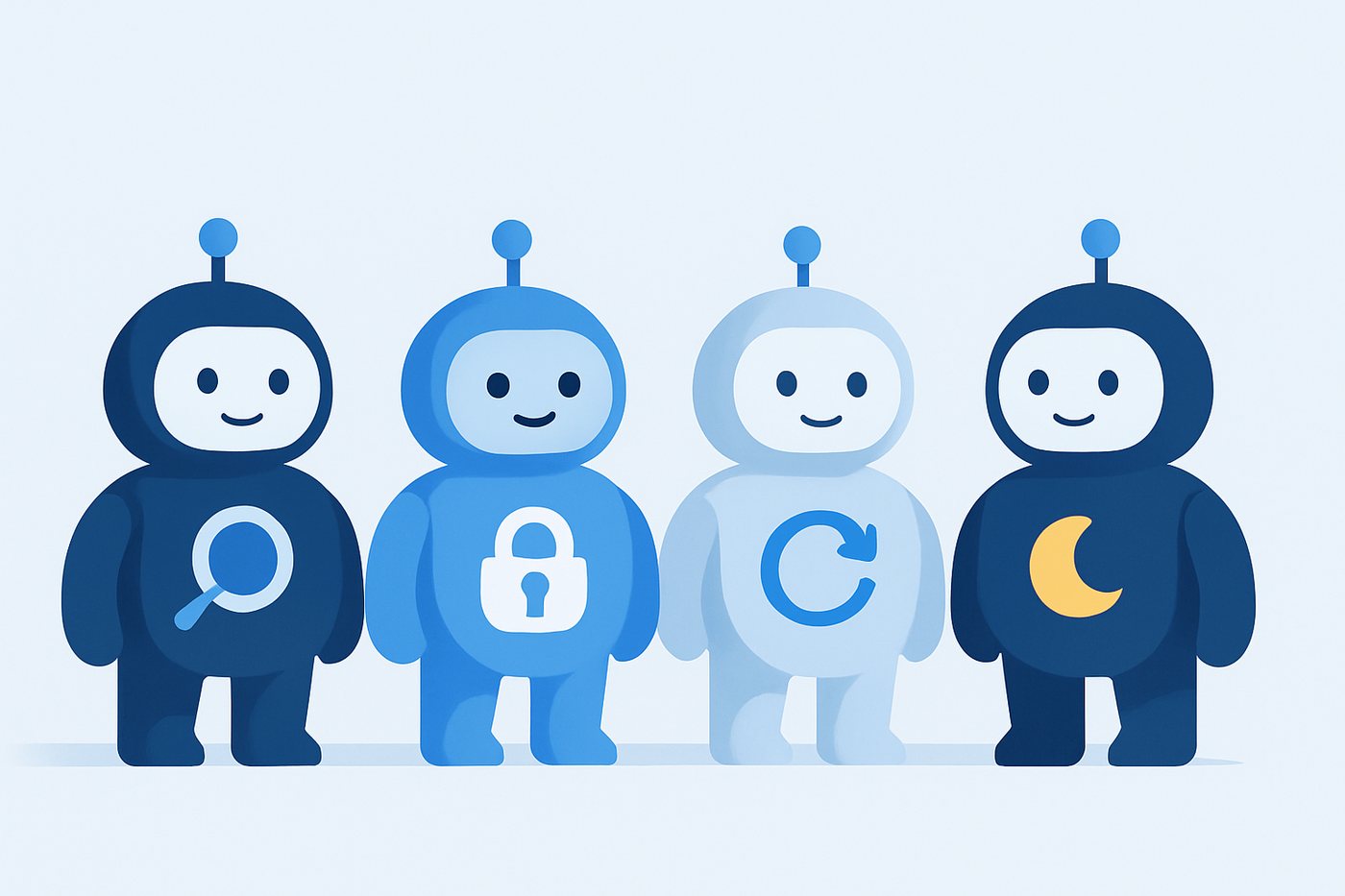
The AICore watch agents as a team: background-job watch, lock watch, update watch and night-shift
💬
Available now

Chat agents

A persona that waits to be asked. It lives docked beside a screen and answers questions about the work in front of the user — grounded in the team's knowledge, acting only through the skills it's been given.

Think of it as the team's best expert, on call from every screen, who never gets tired of the same question.

in the prototypehuman-in-the-loop
⚙️
The next step

Workflow agents

A persona that never waits to be asked. It's triggered by an event or a schedule, works through a task on its own using its skills and knowledge, and decides when something genuinely needs a human.

The same idea as a background job — but one that can read, reason, and get better over time, instead of just running fixed code.

designed · rolling outautonomous
Example · service desk

A first responder on your incident queue.

Point a workflow agent at a ServiceNow incident queue — the world's most-used service desk. It watches everything coming in, understands each ticket against the team's loaded knowledge, and acts: drafts a resolution, suggests the next step, or flags what genuinely needs a human.

And because it sits inside SAP, the same agent can reach the transactions and data the ticket is actually about — not just talk about them. A tireless first responder that already knows your application, because the responsible team taught it once, in the Hub.

Incident queue · MM

monitored by AI Core
IncidentSubjectStatus
INC0042918Stock mismatchAI drafted
INC0042920MRP run failedAI drafted
INC0042925Field meaning?AI answered
INC0042931Pricing exceptionNeeds human
INC0042933New material setupNew

Nightly run · billing exceptions

AI background job
StepWhat the agent didOutcome
1Read the run output (1,204 lines)parsed
2Clustered 38 errors into 4 causesanalysed
3Re-ran 26 safe cases as a new jobresolved
4Drafted notes for 9 known issuesdrafted
5Escalated 3 genuinely new casesto human
Example · the intelligent job

A background job that can read and reason.

A report runs overnight and produces a long output list — the kind a person normally scrolls through the next morning. Because the agent lives inside the system, it reads that output directly, understands what it's looking at, and decides what to do next.

It can launch follow-on jobs, run the right programs, and re-process the safe cases — everything a background job can do — while drafting explanations for the known issues and escalating only the genuinely new ones. And every clean resolution it finds is remembered, so next month's run needs even less attention.

More places a workflow agent earns its keep.

🧹

Master-data quality

Watches new and changed master data, flags inconsistencies against your rules, and drafts the corrections for review.

🔁

Interface monitor

Catches failed IDocs and interface errors, diagnoses the cause, re-processes the safe ones, and escalates the rest with context.

📥

Document intake

Reads incoming documents and emails, extracts the data, and creates or updates records through validated skills.

📊

Close & batch watch

Monitors month-end and batch runs, retries what's safe, and surfaces only the exceptions that need a person — with a plain-language summary.

👥 For your role

What this means for you.

The same product answers a different question depending on where you sit. Pick your seat.

The bottom line

AI where your business already runs — without rebuilding your landscape.

Your people live in SAP. AI Core Hub puts a capable assistant right there, so the knowledge your teams have built finally helps them at the exact moment they need it. Less waiting, fewer tickets, faster onboarding, and expertise that doesn't walk out the door when someone leaves.

It runs on a model and infrastructure you choose — so you adopt AI on your own terms, on your own timeline, with your data staying where it already is.

⏱️

Productivity, immediately visible

Answers in seconds instead of alt-tabbing, waiting, or raising a ticket.

🛡️

Your data, your control

No forced re-platforming. Runs on the model and infrastructure you pick.

🧠

Institutional memory that stays

Teams teach an agent once; the expertise is captured and reused for everyone.

🌱

Start small, grow safely

Begin with one team and chat; expand to autonomous workflow agents when ready.

What gets installed

It loads into your existing system — no new platform to run.

AI Core Hub is delivered as a set of standard objects that load into your established SAP functionality — the configuration Hub and the in-screen assistant become available without standing up a separate runtime or middleware. There's nothing new for Basis to host and patch.

The only outbound connection is from your system to the AI model you nominate, over a single managed channel with keys held centrally. Every data read happens under the user's own SAP authorisations — the assistant never sees what the user couldn't already see.

📦

Installs into what you have

No BTP requirement, no extra servers, no new operational surface.

🔌

One model connection

Points at the model you run; keys resolved centrally at company / team / user.

🔐

Authorisation-respecting

Reads run under standard SAP auth; data queries are read-only by default.

🧭

Governed by scope

Global / zone / app scoping decides exactly which skills run where.

Help, right where you're stuck

Ask in plain language about the screen in front of you.

No new transaction to learn, no portal to open. The assistant is docked to the side of the screen you're already on. Ask "what's the stock here?", "what does this error mean?", "what can I enter in this field?" — and get an answer drawn from your own company's documents and data, in seconds.

It knows which order, which material, which customer you're looking at, because it's reading the same screen you are. You stay in control; it does the looking-up.

💬

Plain-language answers

No codes to memorise — just ask about what's on the screen.

No more alt-tabbing

The manual, the stock, the field meaning — all without leaving the transaction.

🎓

Faster onboarding

New joiners get a patient expert beside them from day one.

Answers you can trust

Grounded in your documents and tables, with the source it used.

Scale your expertise

Teach it once. It answers for everyone, day and night.

You already write the specs, the cheat sheets, the "how we configured this" notes. Load them into your zone and the agent answers from them — so the same question doesn't come back to you ten times. The knowledge you've documented finally does work while you focus on the next build.

You decide the persona's instructions, which skills it may use, and how cautious it should be. And when a workflow agent handles a recurring process, it follows your design — the validations and steps you defined, not a generic guess.

📚

Your documentation, finally read

Specs and notes become live answers instead of forgotten files.

🎛️

You shape the behaviour

Persona instructions, skill selection, tone and caution are yours to set.

🔁

Fewer repeat questions

Common cases get consistent answers; you handle the genuinely new ones.

🧩

Owns your area

No central bottleneck — the team that knows the area runs the agent.

What you need to run it

Two things to bring. We supply the rest.

AI Core Hub is the control room, the skills, the knowledge base and the in-screen assistant. To switch it on, you bring two things.

1

Models — the brain and the librarian.

AI Core Hub orchestrates; the thinking happens in models you provide. Two roles are needed: a generative model — the brain — that reads the context and writes the answer, and a small embedding model that files your documents by meaning so the knowledge base can retrieve them. Both run on infrastructure you choose and are reached over a single managed connection — your data only ever travels to the models you picked.

Optionally, split the brain in two: a fast, low-cost text model for everyday questions and a stronger reasoning model for the hard cases, with the Hub routing each request to the right one.

you provide your models · your keys

2

Zones — a team per product.

A zone is a small, dedicated team responsible for one product or area — an application inside the Hub. They own its documentation, decide its agents and skills, and keep its knowledge current. Separating products into zones isn't just tidy: an agent only ever reads its own zone's knowledge, which keeps answers accurate and keeps the cost per question (the AI tokens) low. You stand these up around the teams you already have.

you define team owns the product

and we bring
🎛️

The Hub

The control room to set up zones, applications, agents, skills, keys and the knowledge base — loaded into your existing system.

💬

The in-screen assistant

The docked chat agent that becomes available from any screen, reads context, and answers from your knowledge under the user's own authorisations.

Skills & the engine

The ready skills (screen reading, safe queries, field help and more), the grounding/knowledge engine, and the framework to add your own.

🌍
On your terms. Because the Hub installs into your existing SAP system and talks only to the model you nominate, it fits whether you run on-premise, in a private cloud, or hybrid — you don't have to move your landscape to give your teams AI.
Why it matters

The intelligence, finally where the work is.

1 control room
Every team, one place
Zones, agents, knowledge and keys — centrally governed, locally owned.
Sees the screen
Live, in-session
Ask about “this material”, “this order”, “this error” — it's reading the same screen.
Your data
Grounded, not guessed
Answers from your documents and your tables — never the open internet.
Your model
Runs on your terms
On-prem, private or hybrid — pointed at the brain you choose. No re-platforming.
SAP auth
Respects authorisations
Every query runs under standard SAP authorisation. Users see only what they may.
Chat → workflow
Answers, then acts
Start with in-screen help; grow into agents that run processes on their own.

Give your teams an AI that speaks SAP.

Configure a zone, build an agent, load your knowledge, and drop it into the transaction your people already use. The intelligence finally lives where the work does — on your model, in your own system.